If your service pages aren’t moving up the rankings, internal linking is one of the fastest “no-new-budget” fixes. The goal is simple: make it easy for Google and homeowners to understand your most important services, where you offer them, and which pages deserve priority.
A strong internal linking strategy connects your homepage to core service pages, then to supporting content like FAQs and blogs, and finally to conversion pages like contact or estimate forms, using clear, relevant anchor text. When those connections are missing, Google has a harder time understanding what to rank, and leads have a harder time finding the next step to book.
What does internal linking do for local rankings?
Internal links do three practical things for local rankings:
- They improve crawlability, so Google finds and revisits important pages more often.
- They clarify topical relevance by signaling what each page is about and how related pages support it.
- They distribute authority, meaning pages that earn attention, like your homepage or a popular blog post, can pass strength to your key service pages.
If you’re a multi-service lawn and landscape company, internal links also prevent your website from becoming a collection of disconnected pages that compete with each other.
The Simple Hub-And-Spoke Linking Map for Lawn & Landscape Sites
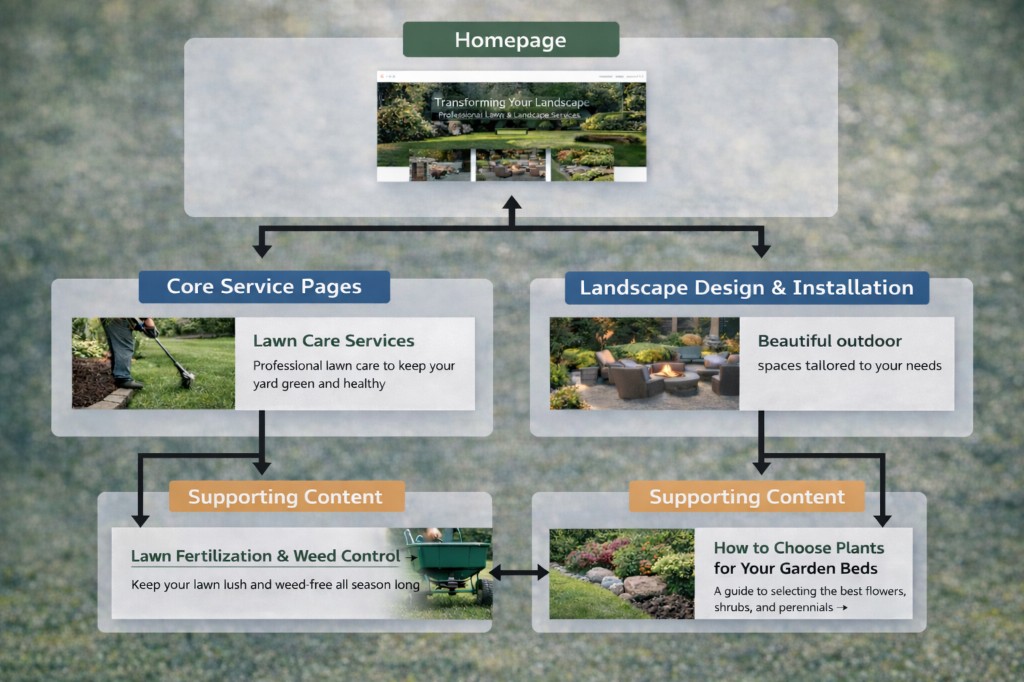
Think in hubs and spokes. Hubs are the pages you want to rank and convert, like core service pages and any top-level service area pages you maintain. Spokes are the pages that support the hubs, like service-specific FAQs, blog posts that answer common questions, project photo pages or galleries when relevant, and closely related service pages.
A clean structure moves visitors and search engines from the homepage to core service pages, from there to supporting content, and then back to the primary service page, with clear pathways to request an estimate or contact you. That “back to the service page” link matters because it keeps authority and the user journey pointed toward booking.
Which pages should link to which?
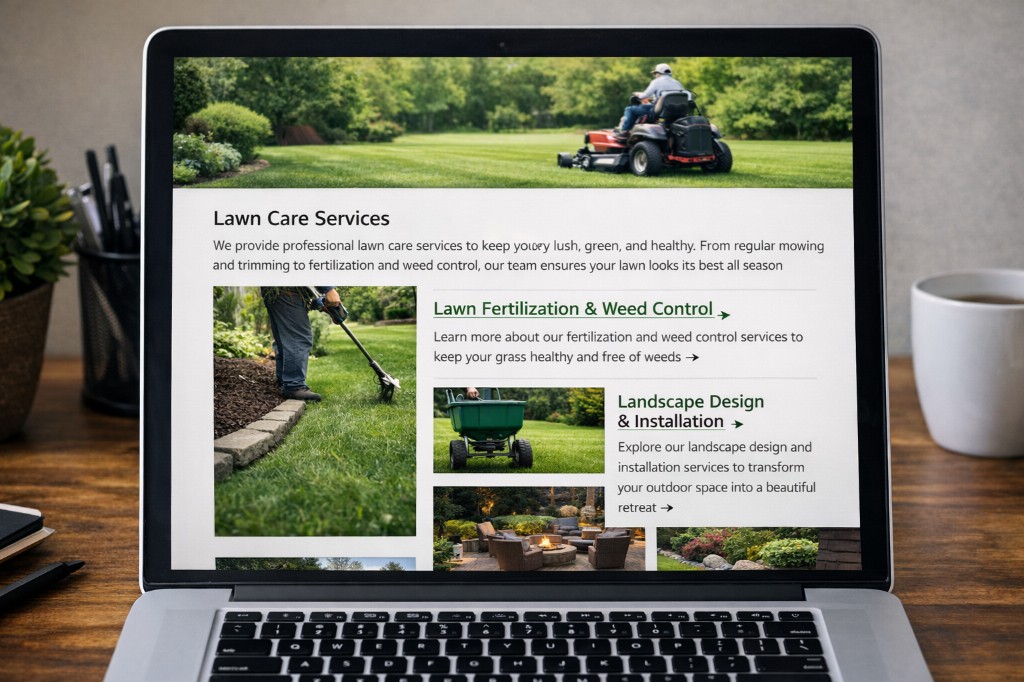
Start by making sure your homepage links to your top five to eight services in a visible way, not only inside a dropdown menu. A clear services section on the homepage usually does the job.
Next, ensure each service page links to two to four closely related services that you actually want to sell. For example, a ‘Lawn Maintenance’ page can naturally link to ‘Shrub Trimming’, ‘Lawn Mowing’, and ‘Mulch’ if those are logical add-ons for your customers.
Every service page should also link to your primary conversion action. At minimum, include “Request an Estimate” and “Call Now” so a ready-to-buy homeowner never has to hunt for the next step.
Finally, every supporting post or FAQ should link back to the primary service page it supports. If you publish a post like “When to apply pre-emergent weed control,” it should point back to your ‘Weed Control’ page. Also, watch out for orphan pages, because if no internal links point to a page, it’s effectively invisible to users and search engines.
Callout: The anchor text, or the clickable text in a link, should be specific and natural, such as “mulch installation,” rather than “click here” or “learn more.”
How to Use Blogs to Support Service Pages
Blog content should support your service pages, not live in a separate universe. A practical approach is to choose one core service page as the focus, publish three to six posts that answer common homeowner questions about that service, and link each post back to the service page with a clear next step.
For mulch, that might look like posts such as “How much mulch do I need?”, “Mulch vs. rock: pros and cons,” and “Best mulch colors for curb appeal,” each pointing back to your ‘Mulch Installation’ service page. This builds topical authority while guiding visitors toward booking instead of just reading.
Navigation Links vs. In-Content Links
Your menu and footer links help, but in-content links are often stronger because they appear in a relevant context. Keep your main navigation clean with core services and your estimate or contact option, then add contextual links within service pages and blogs where they naturally fit. A simple “Related Services” or “Related Resources” section on key pages can also create consistent pathways without cluttering the main menu.
Common Internal Linking Mistakes That Slow Rankings
To ensure rankings don’t slow down on your website pages, you’ll want to avoid these internal linking mistakes:
- Relying only on the top menu and skipping contextual links inside your pages.
- Publishing blogs that never link to service pages, which leaves SEO value on the table.
- Adding too many links on one page can dilute focus, while random linking can confuse both users and Google.
- Forgetting conversion links, which means traffic shows up and then leaves without a clear next step.
A quick internal linking checklist you can use
Pick your top three revenue-driving services and tighten the structure around them. Add a homepage section that links to each service page. On each service page, add links to two to four related services. Include a “Request an Estimate” link or button two to three times per service page. Update five older blog posts so each points back to the right service page. Add a “Related Resources” section with three to five relevant posts or FAQs.
We’ll help ensure your website pages rank and convert
Call us to learn more!
If you need help refining your internal linking map to ensure your website pages rank and convert, Lawnline Marketing will help with your content and SEO as part of our Growth Programs. Call (813) 944-3400 to schedule a discussion and learn more!